IPTV Setup on Android, iPhone & iPad
Follow the instructions below. App availability and menu names can vary by device and software version.
Welcome!
Follow the instructions below for your specific device type. We have separate guides for Android and iOS devices.
Android Devices
Step 1: Open Your Browser
On your Android device (phone, tablet, or Android TV box), open a web browser (e.g., Google Chrome). You will need to download the application file (APK) directly.
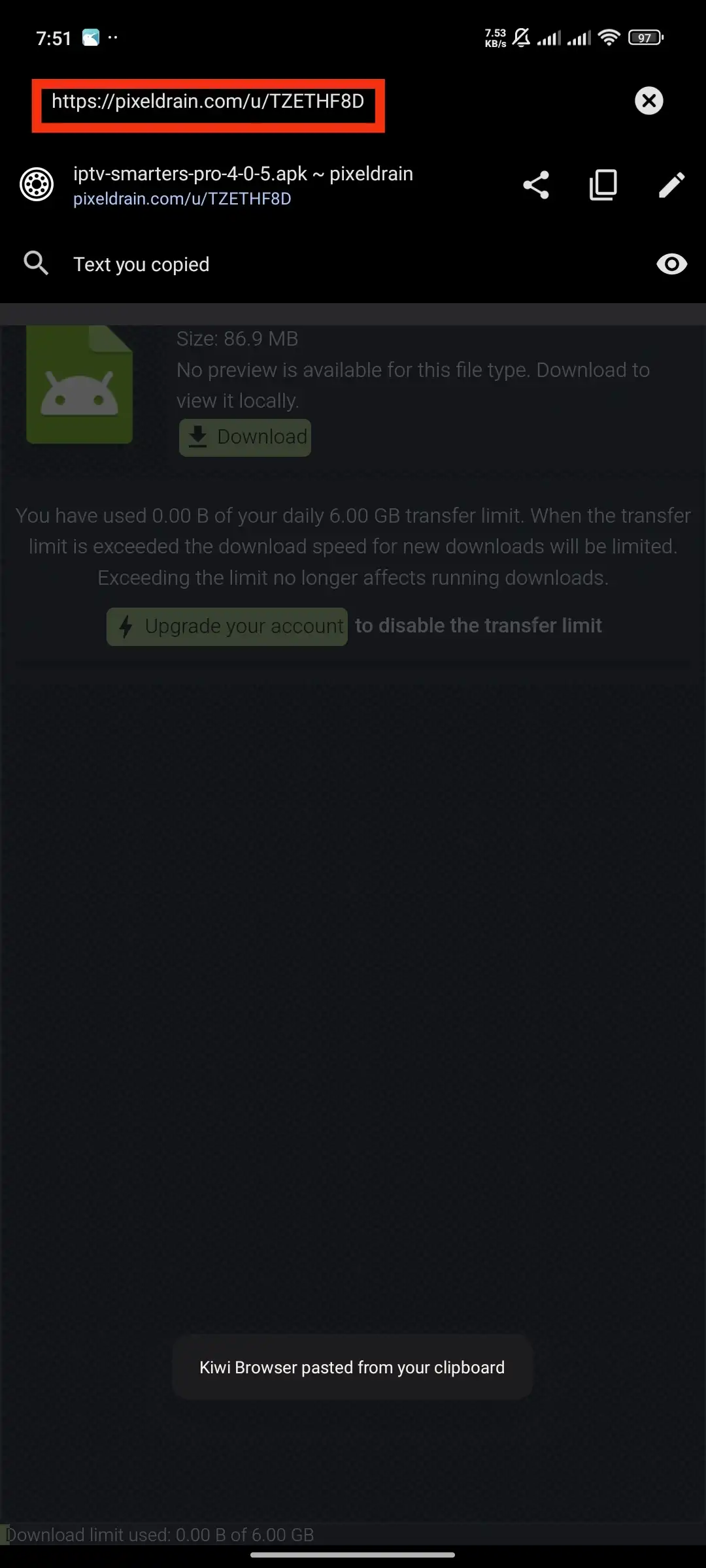
Step 2: Download the Application
Navigate to the download link we provided in your subscription confirmation. The app file (APK) will begin downloading. You may need to allow downloads from unknown sources in your device settings.
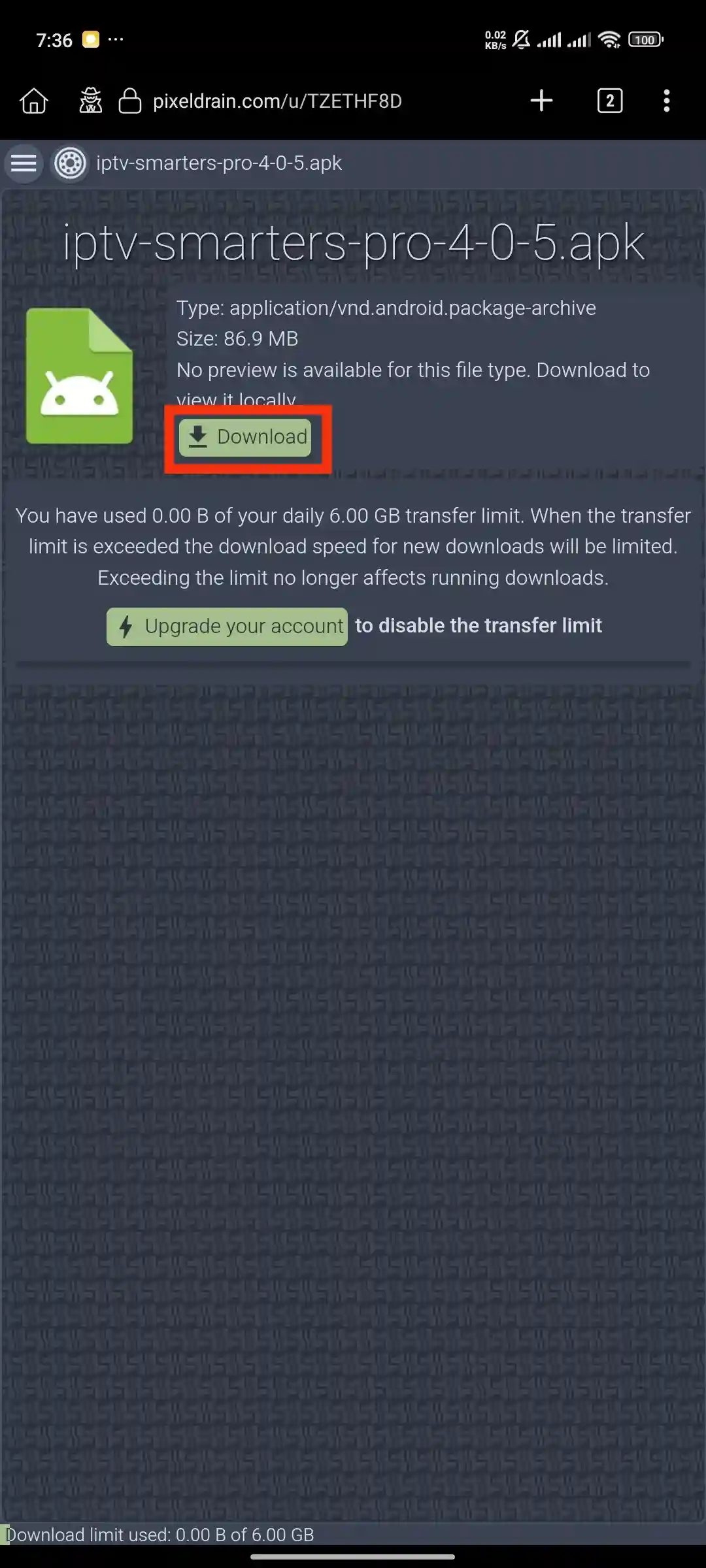
Step 3: Install the Application
Once the download is complete, open the file from your notification bar or file manager. Tap 'Install' to begin the installation process.
Step 4: Open IPTV Smarters Pro & Select Device
Open the IPTV Smarters Pro application after installation. You will see a device selection screen. Select 'Mobile' for phones and tablets.
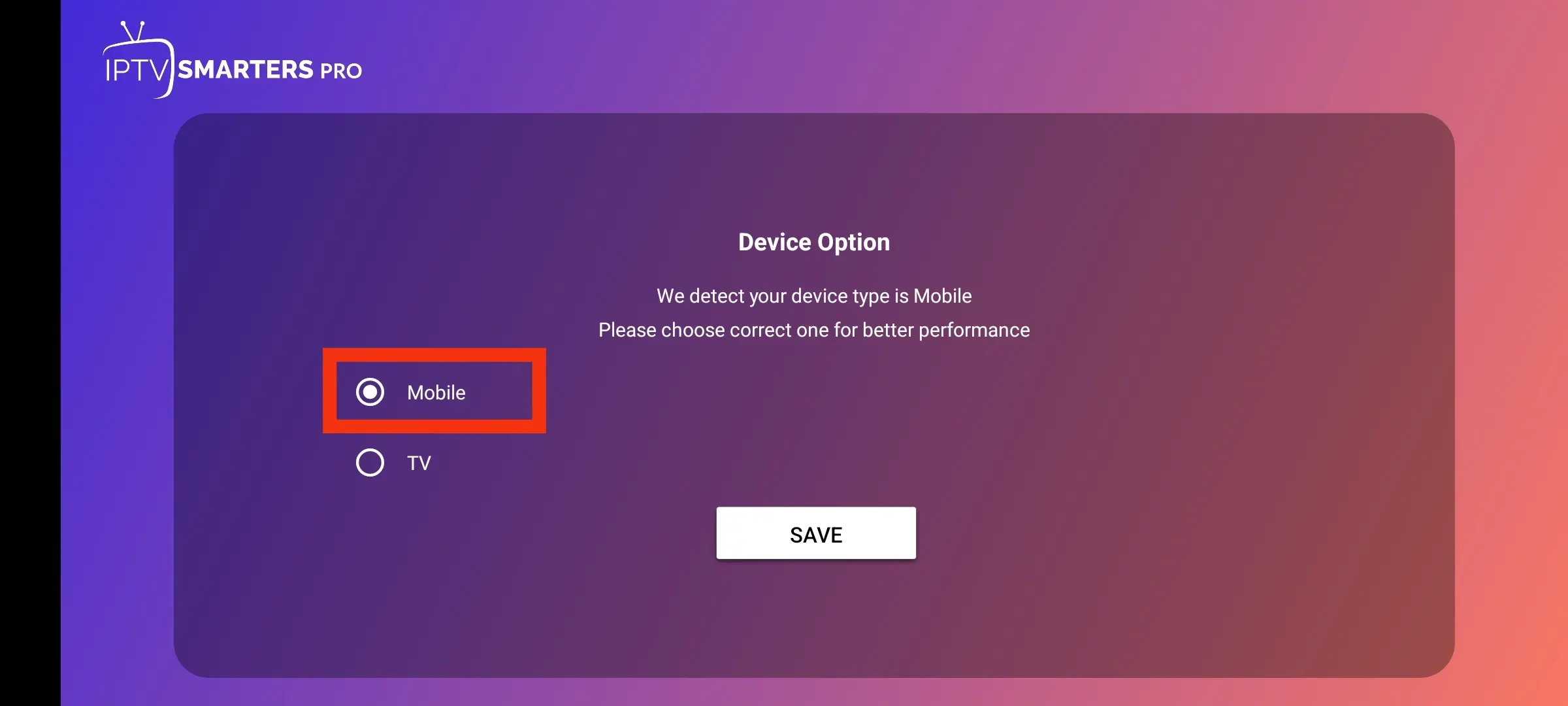
Step 5: Choose Your Login Method
On the main screen, select 'Login with Xtream Codes API'. This is the recommended login method for our service.
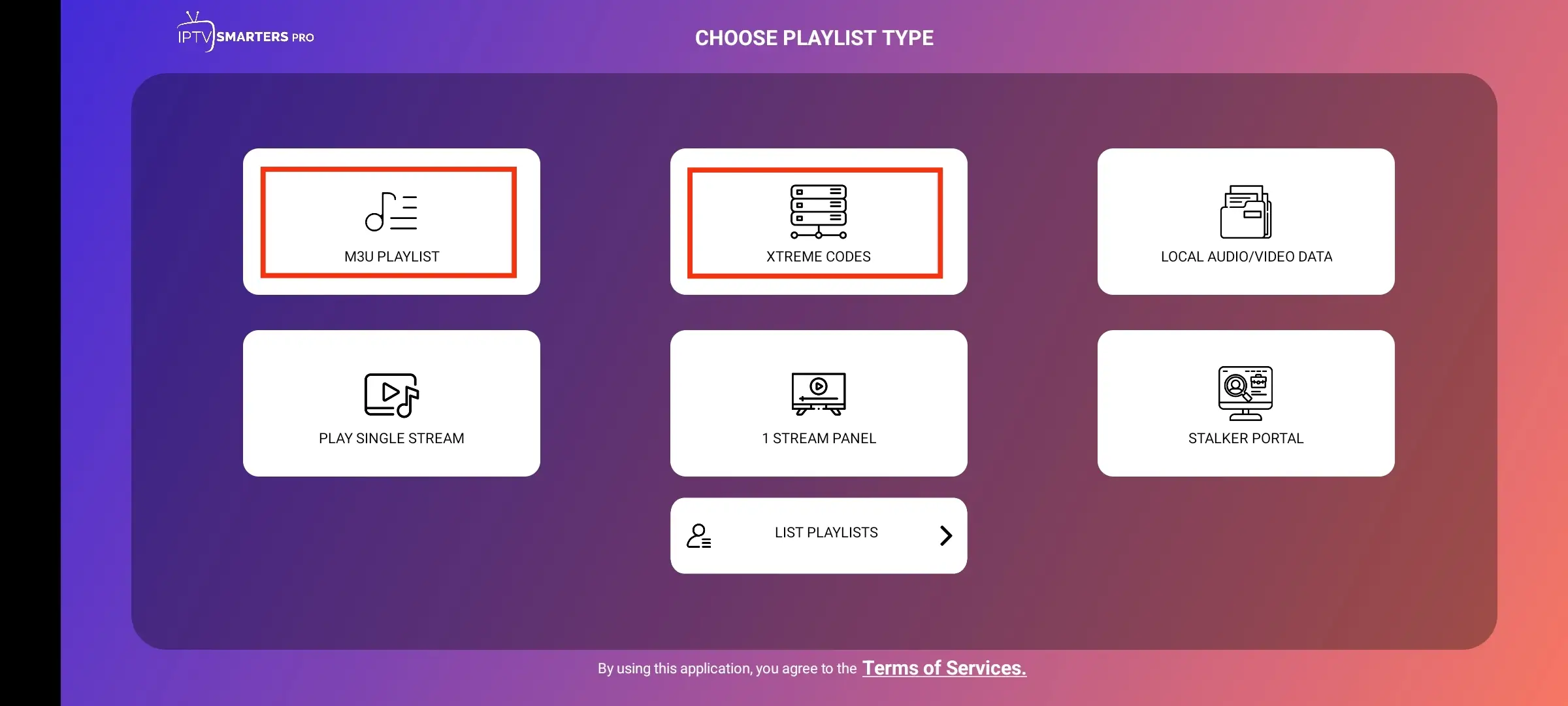
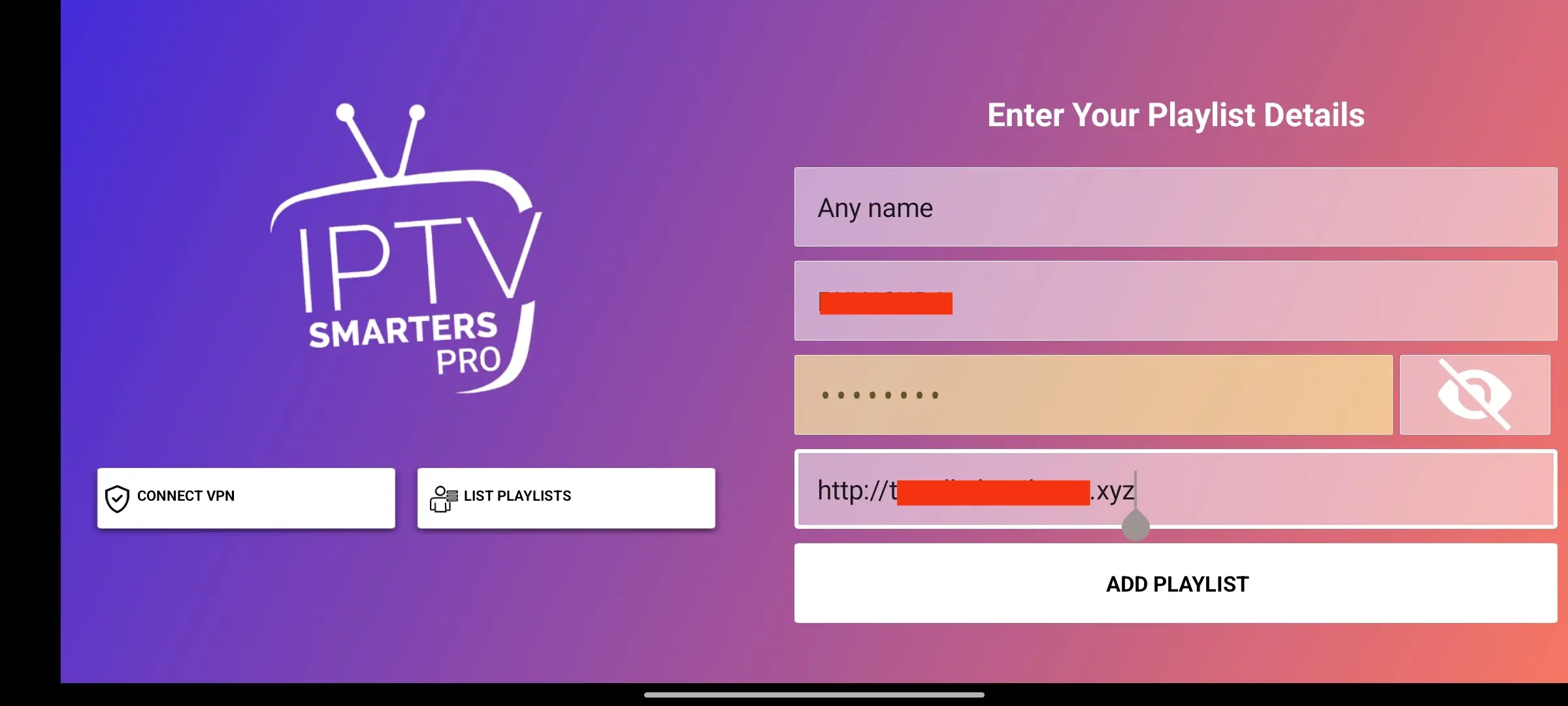
Step 6: Enter Your Login Details
Enter the subscription details we sent to you:
- Playlist Name: Any name you like (e.g., My IPTV)
- Username: Your provided username
- Password: Your provided password
- URL: The server URL we provided
Important: Double-check every character. A small mistake will result in a login error.
Step 7: Download Content
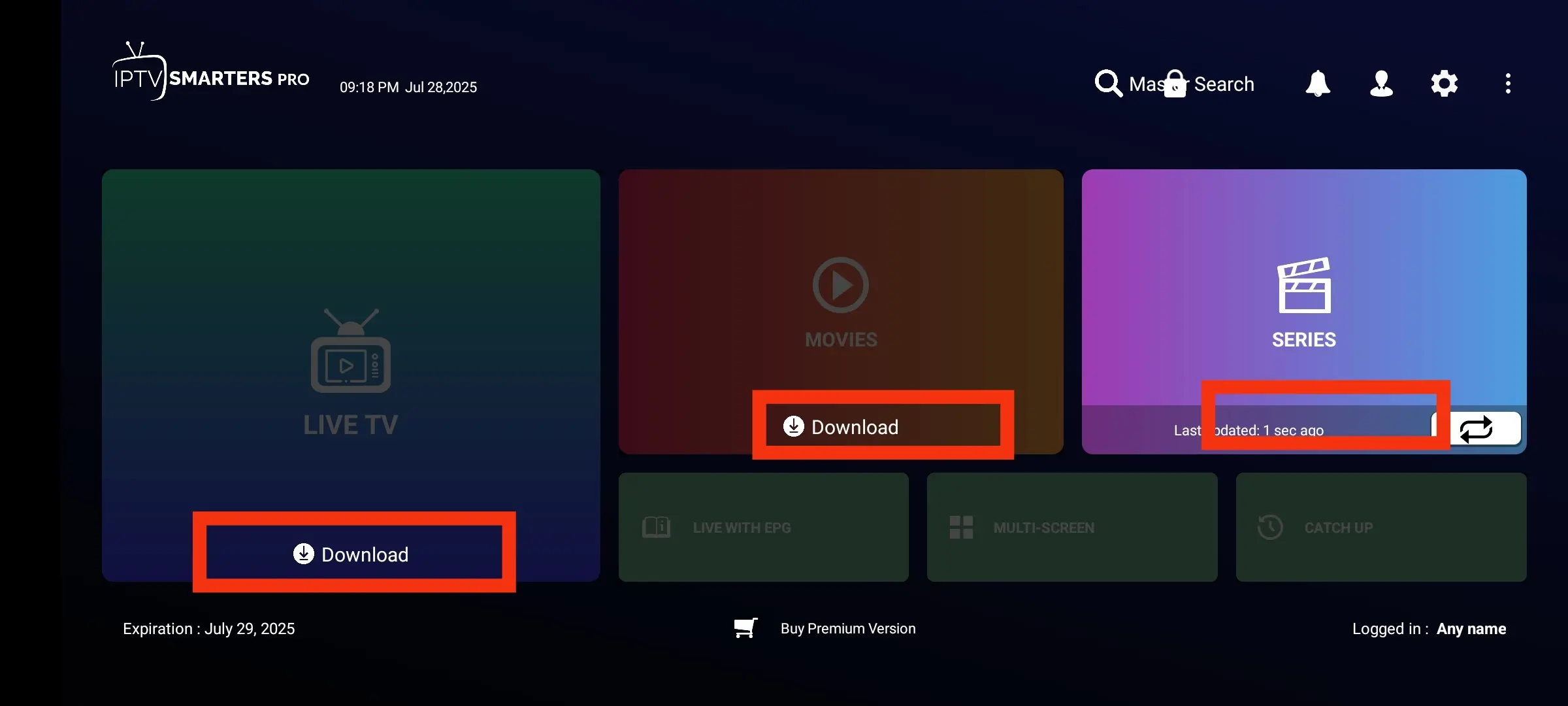
The app will now download your channel list, movies, and series. This may take a minute or two. Please be patient while it loads all content.
Step 8: Congratulations!
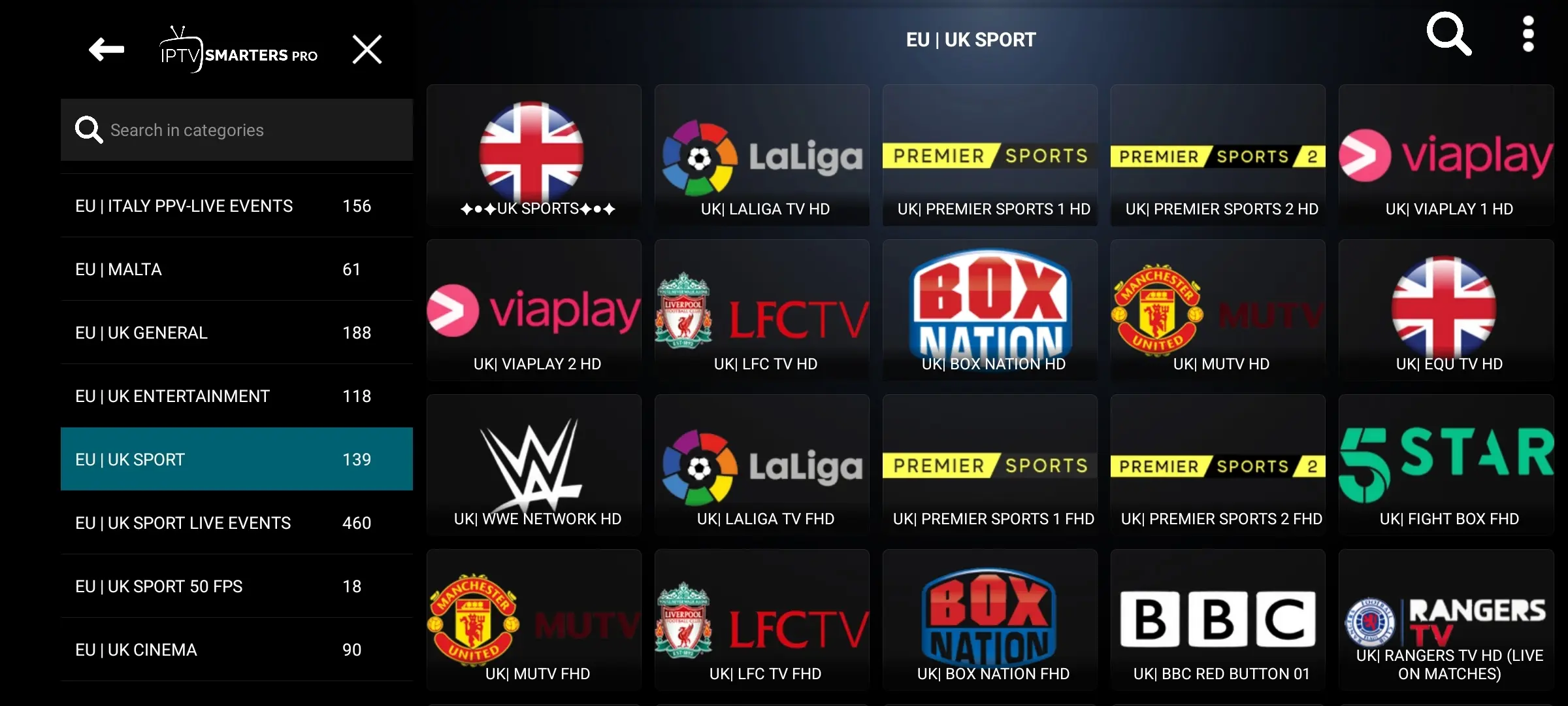
You are now set up! You can browse Live TV, Movies, and Series directly from your Android device. Enjoy!
iOS Devices (iPhone / iPad)
Step 9: Download the App
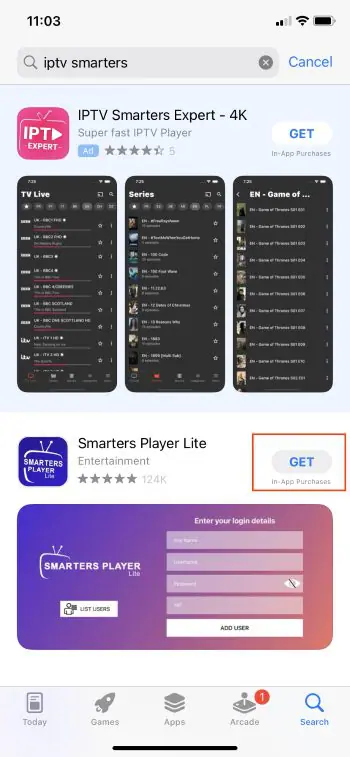
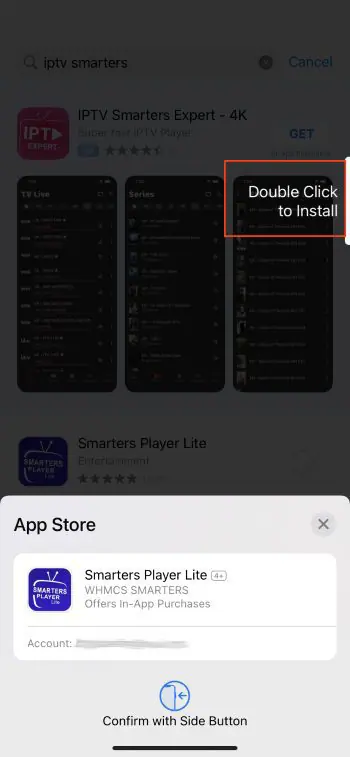
Open the App Store on your iPhone or iPad. Search for 'Smarters Player Lite' (the iOS version of the app). Tap 'Get' to download and install it.
Step 10: Install & Launch
Once installed, open the Smarters Player Lite app from your home screen.
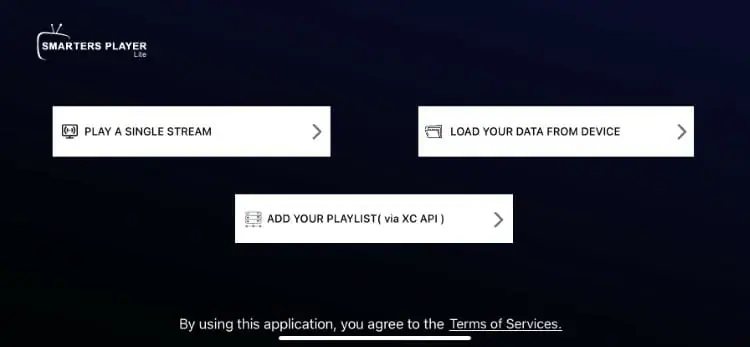
Step 11: Configure Service & Choose Login Method
Select 'Xtream Codes API' as your login method. This provides the best experience with our service.
Step 12: Login Using Xtream Codes
Enter your subscription credentials (Playlist Name, Username, Password, and Server URL) exactly as we provided them. Tap 'Add User' to proceed.
Step 13: Enjoy Your Content
Your channels, movies, and series will begin loading. Once complete, you can start watching on your iOS device. Enjoy the show!
Installation Complete!
Congratulations! You have successfully set up the IPTV app on your Android / iOS device. Enjoy your streaming experience!